Best for: High-demand households that need on-demand flow without a tank and have a flat surface available for placement
At 1,000 GPD, the RO1000 produces purified water at roughly 10-20x the rate of a standard under-sink RO. The integrated pump eliminates the dependency on household water pressure that limits most RO systems, and the tankless design means no waiting for a storage tank to refill. The LED touch panel tracks all three filter stages independently and makes maintenance straightforward.
The catch: the system cannot be mounted. It must sit on a flat surface. If your under-sink cabinet cannot accommodate a surface-placed unit — or if there is no nearby flat surface within reach of the supply line and a power outlet — this system will not work in your kitchen without some custom installation work. Read the placement section before ordering.
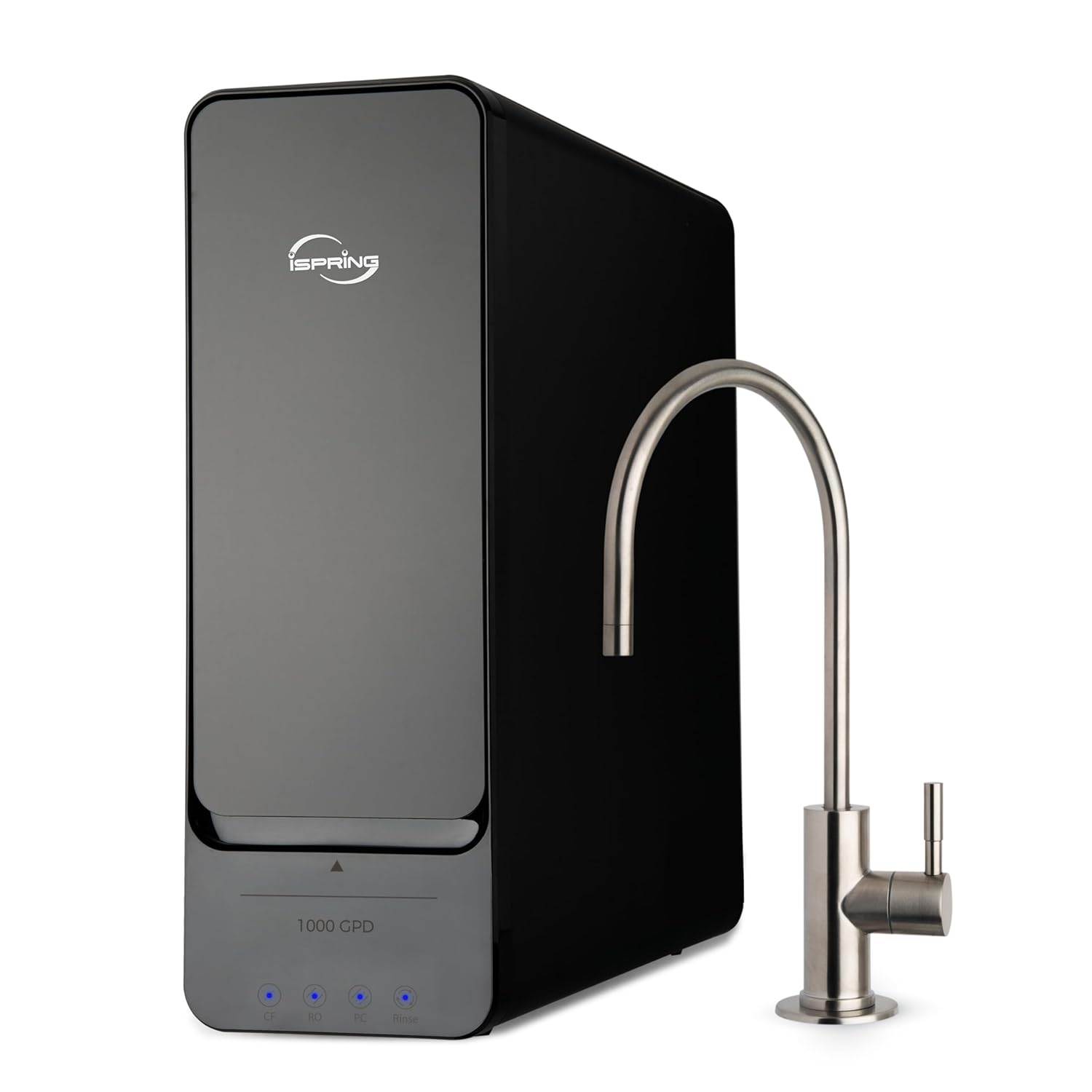
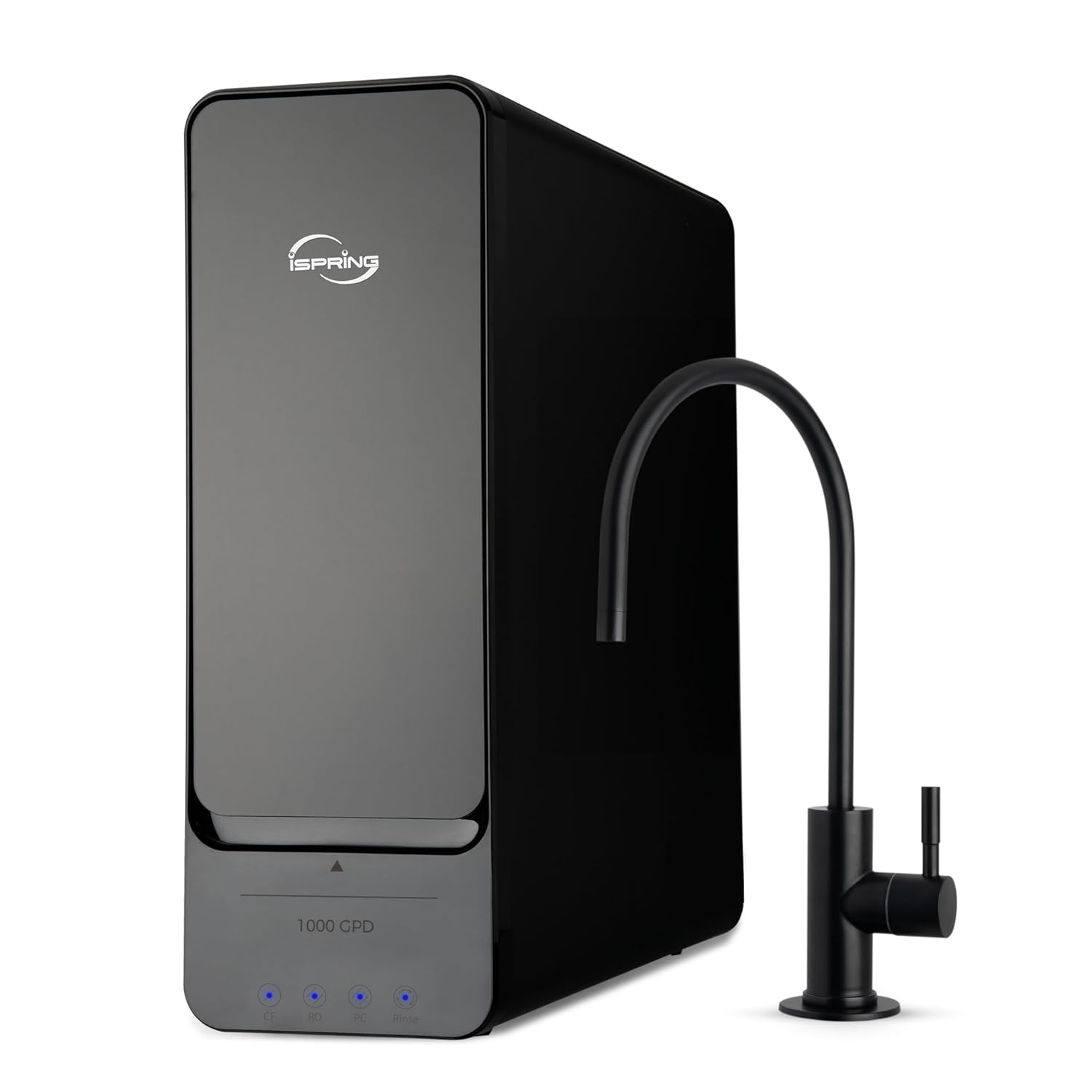
RO1000-BN vs RO1000-ORB — what's actually different
This is the question that drives the most traffic to this page, so let's answer it first. The only difference between the two variants is the finish on the dedicated dispensing faucet included with the system.
| Model | Faucet finish | Best match for | Amazon ASIN |
|---|---|---|---|
| RO1000-BN | Brushed nickel | Chrome, stainless, brushed nickel fixtures | B0CNJVQ6TB |
| RO1000-ORB | Oil-rubbed bronze | Bronze, matte black, dark fixture finishes | B0CNJVQ6TC |
The filtration system, pump, output capacity, LED panel, filter stages, replacement cycles, installation procedure, and all specifications are identical between both models. Pick the faucet finish that matches your kitchen hardware and buy that version.
The placement constraint — read this before ordering
The RO1000 cannot be wall-mounted or cabinet-hung. The manufacturer's manual is explicit: it must be placed on a flat, stable surface. This is a fundamental physical constraint — the system is not designed to be installed in the traditional under-sink mounted position.
Your options: countertop placement near the sink, a shelf built beside or below the sink cabinet, the floor of a utility room within plumbing reach, or any stable flat surface with access to cold water supply and a power outlet. If none of these work in your kitchen, this system is not the right fit regardless of its output specs.
Full technical specifications
All specifications sourced from iSpring RO1000 Series Installation Instructions and User Manual (ManualsLib #3383590, Copyright 2005-2023 iSpring Water Systems LLC).
| System Specifications | |
|---|---|
| Rated output | 1,000 GPD (gallons per day) |
| Design | Tankless — no pressure storage tank |
| Inlet water pressure | 15–60 PSI (incoming line pressure) |
| Working water pressure | 60–130 PSI (with integrated pump boosting) |
| Inlet water temperature | 41–100°F (5–38°C) |
| Power supply | AC 110-220V / 50-60 Hz, 180W — outlet required |
| Mounting | Flat surface placement ONLY — cannot be wall-mounted or cabinet-hung |
| Water source | Municipal (city) water ONLY |
| Display | LED touch panel — 4 indicators (CF, RO, PC, Rinse) |
| iSpring support | support@ispringfilter.com | +1 (678) 261-7611 |
How the RO1000 compares to a standard under-sink RO
| Feature | Standard RO (e.g. iSpring RCC7AK) | iSpring RO1000 |
|---|---|---|
| Output capacity | 50–100 GPD typical | 1,000 GPD — 10–20x higher |
| Storage tank | Required — 2–4 gallon pressure tank | None — tankless on-demand |
| Flow at tap | Slow — wait for tank to refill | High on-demand — no waiting |
| Pump | Usually none — uses line pressure | Integrated — boosts regardless of inlet pressure |
| Power required | No | Yes — 180W, outlet required |
| Display | Often none or basic | LED touch panel with 4 filter stage indicators |
| Mounting | Cabinet-mounted (standard) | Flat surface placement only |
3-stage filtration system
| Stage | Filter | What it removes | Replacement cycle |
|---|---|---|---|
| Stage 1 (CF) | Composite Filter | Chlorine, taste, odor, cloudiness; dirt, sand, silt, rust, scale; THMs and pesticides | Every 6–12 months |
| Stage 2 (RO) | RO Membrane (0.0001 micron) | Lead (up to 98%), fluoride, arsenic, hormones, asbestos, calcium, sodium, dissolved inorganics | Every 24–36 months |
| Stage 3 (PC) | Post-Carbon Polishing | Remaining taste and odor after membrane stage | Every 6–12 months |
The Stage 1 composite filter protects the Stage 2 membrane
The RO membrane at Stage 2 is the most expensive component and has the longest replacement cycle (24–36 months). The single most important maintenance action is replacing the Stage 1 composite filter on schedule. A clogged composite pre-filter forces sediment and chlorine through to the membrane, dramatically shortening its life and potentially voiding the cost advantage of the longer membrane replacement cycle. High TDS (500+ ppm), temperatures below 55°F, and feed pressure below 25 PSI also accelerate membrane degradation.
Understanding the LED touch panel
The four LED indicators on the front panel serve dual purpose — they display filter status and function as touch-sensitive reset buttons. Understanding the difference between solid red and blinking red is the most common source of confusion.
| Light state | Meaning | Action required |
|---|---|---|
| Solid blue (CF, RO, or PC) | Filter within service life — normal operation | None |
| Solid red (CF, RO, or PC) | Filter service life expired | Replace the indicated filter; reset counter (hold 5 sec until solid blue) |
| Blinking red + beep | Low incoming water pressure — system paused | Check feed water valve is fully open; verify incoming pressure is 15–60 PSI; no filter replacement needed — system resumes automatically |
| Rinse indicator active | System in rinse/flush mode — normal at startup and after filter changes | Allow to complete (10–15 min); do not use output water during rinse |
Blinking red does not mean a filter is expired
Blinking red plus beeping = low water pressure, system paused. Solid red = filter expired. These two states look similar but require completely different responses. If all indicators blink red simultaneously with beeping, check that the feed water supply valve is fully open before assuming any filter needs replacement.
Filter reset procedure — step by step
Complete filter replacement and reassemble the system
Turn on the water supply and plug the system back in before attempting the reset.
Press and hold the corresponding indicator button for 5 seconds
CF for composite filter (Stage 1), RO for membrane (Stage 2), PC for post-carbon (Stage 3). A beep will sound when pressed and the indicator will turn red — continue holding, this is normal.
Release only when the indicator turns solid blue
Solid blue confirms the reset is complete. If you release while the indicator is still red, the reset did not take — wait 10 seconds and repeat the 5-second hold.
Run the system for 10–15 minutes before use
Open the purified water faucet and let the system flush the new filter. Do not drink water produced during this flush. New carbon filters contain carbon fines that will make the first water appear grey or dark — this is harmless but clears completely during the flush.
Performance factors and limitations
The 1,000 GPD rating is a nominal output under ideal conditions. Several factors reduce actual output and filter life below rated specifications.
| Factor | Effect | Threshold |
|---|---|---|
| High feed water TDS | Reduces membrane rejection efficiency; shortens membrane life; increases reject water ratio | 500+ ppm — plan for more frequent membrane replacement and TDS monitoring |
| Low water temperature | Output drops significantly — cold water is harder to push through the membrane; output at 40°F may be 50% of output at 77°F | Below 55°F — install in temperature-controlled space; avoid unheated garages or crawl spaces in winter |
| Low incoming pressure | Below 15 PSI triggers pause (blinking red); between 15–25 PSI pump compensates but output is reduced | Below 25 PSI significantly limits performance; consider an upstream booster pump if household pressure is consistently low |
| Clogged Stage 1 filter | Forces pump to work harder; allows chlorine and sediment to reach membrane; significantly shortens membrane life | Replace on schedule (6–12 months) regardless of indicator status — do not wait for performance degradation |
Troubleshooting quick reference
| Symptom | Likely cause | Solution |
|---|---|---|
| All indicators blinking red with beeping | Low incoming water pressure | Check feed water valve is fully open; verify pressure is 15–60 PSI; system resumes automatically when pressure normalizes |
| Reduced output flow | Clogged CF filter; degraded RO membrane; low incoming pressure | Check CF indicator; replace composite filter if overdue; check incoming pressure; if CF is current, RO membrane may be approaching end of life |
| Taste or odor in output water | PC filter expired; CF filter expired allowing chlorine through; missed post-filter-change flush | Replace indicated filters; perform 15-minute flush after any filter change; if taste persists, inspect tubing for contamination |
| Output TDS higher than expected | Degraded or expired RO membrane; feed water TDS very high (500+ ppm) | Test output TDS; healthy membrane rejects 90–97% of TDS; if rejection ratio is poor, replace RO membrane |
| Vibration or noise at startup | Normal pump startup; air in lines after filter change | Normal — vibration typically subsides within 30–60 seconds as system pressurizes; persistent severe vibration suggests air leak at a tubing connection |
| Water leaking from connections | Tubing not fully seated; drain saddle not fully tightened; filter housing O-ring issue | Re-seat tubing firmly; tighten drain saddle screws; inspect and replace O-ring if deformed |
| Filter indicator will not reset to blue | Button not held long enough; system not powered during reset | Ensure system is powered with water on; hold button firmly for full 5 seconds until solid blue; if still failing, unplug for 30 seconds, re-plug, and retry |
What the RO1000 is good for
At 1,000 GPD, the RO1000 produces far more purified water than any household needs for drinking and cooking. That surplus capacity means no flow restrictions under any simultaneous demand scenario, and it opens up uses beyond the kitchen faucet.
| Use | Fit | Notes |
|---|---|---|
| Standard household (2–4 people) | Excellent | 1,000 GPD is 200–1,000x typical drinking/cooking demand; instant on-demand delivery; no tank wait |
| Large household (6–10 people) | Excellent | High output eliminates the tank-refill waiting common in standard RO systems under heavy demand |
| Ice maker water supply | Excellent | RO water produces clearer, better-tasting ice; connect purified output to ice maker inlet |
| Aquarium or hydroponics | Excellent | Very low TDS output ideal for sensitive aquarium species; simple residential installation applies |
| Ultrasonic humidifier supply | Excellent | Eliminates white calcium dust that damages ultrasonic humidifier elements |
| Residential espresso / coffee | Good — with consideration | Very low TDS RO water may produce flat espresso; specialty coffee recommends 50–150 ppm — consider remineralization or a mixed-water approach |
Not suitable for: well water, microbiologically unsafe water, or commercial food service
The RO1000 is designated for municipal (city) water only. It should never be used on well water without significant upstream pre-treatment, and never on microbiologically unsafe water without prior disinfection — biological contamination can permanently damage the membrane. Commercial food service use is outside the scope of the manufacturer warranty; verify local health department requirements before any commercial deployment.
Where to buy
Both variants are available directly on Amazon. iSpring also sells through their own store at ispringfilter.com with replacement filter bundles.
iSpring RO1000-BN — Brushed Nickel
Best for chrome, stainless, or brushed nickel kitchen fixtures
iSpring RO1000-ORB — Oil-Rubbed Bronze
Best for bronze, matte black, or dark fixture finishes
Common questions
What is the difference between the RO1000-BN and RO1000-ORB?
Only the faucet finish. BN = brushed nickel. ORB = oil-rubbed bronze. The system, pump, filtration stages, output capacity, specifications, and installation are identical. Choose based on your kitchen fixture finish.
Does the RO1000 need to be mounted under the sink?
No — and it cannot be mounted at all. It must sit on a flat, stable surface. It cannot go inside a standard under-sink cabinet in the traditional mounted position. Placement options are: countertop, a shelf beside the sink, the floor of a utility room, or any stable flat surface within reach of cold water supply and a power outlet.
What does a blinking red light mean?
Blinking red plus beeping = low incoming water pressure, system paused — not a filter replacement alert. Check that the feed water valve is fully open and pressure is within 15–60 PSI. The system resumes automatically when pressure normalizes. Solid red = filter has expired and needs replacement.
Can the RO1000 be used on well water?
No. The manual designates this system for municipal water only. Well water with high sediment, iron, or bacteria content requires a different system with more robust pre-filtration. iSpring makes dedicated well water RO systems — the RO1000 is not one of them.
How do I reset the filter life indicator after replacing a filter?
Press and hold the corresponding indicator button (CF, RO, or PC) for 5 seconds with the system powered on and water supply on. The indicator will beep, turn red, then turn solid blue — release only when solid blue is confirmed. After resetting, run the system with the faucet open for 10–15 minutes to flush the new filter.
Related reviews and guides
- iSpring RCC7AK review — 75 GPD under-sink RO with alkaline remineralization
- iSpring filter replacement schedule — full guide
- RO filter replacement schedule — all brands compared
- How to monitor your RO with a TDS meter
- Why maintenance determines whether your RO system actually works
- All top-rated RO systems →
Buy the iSpring RO1000 direct from iSpring